MockupViews
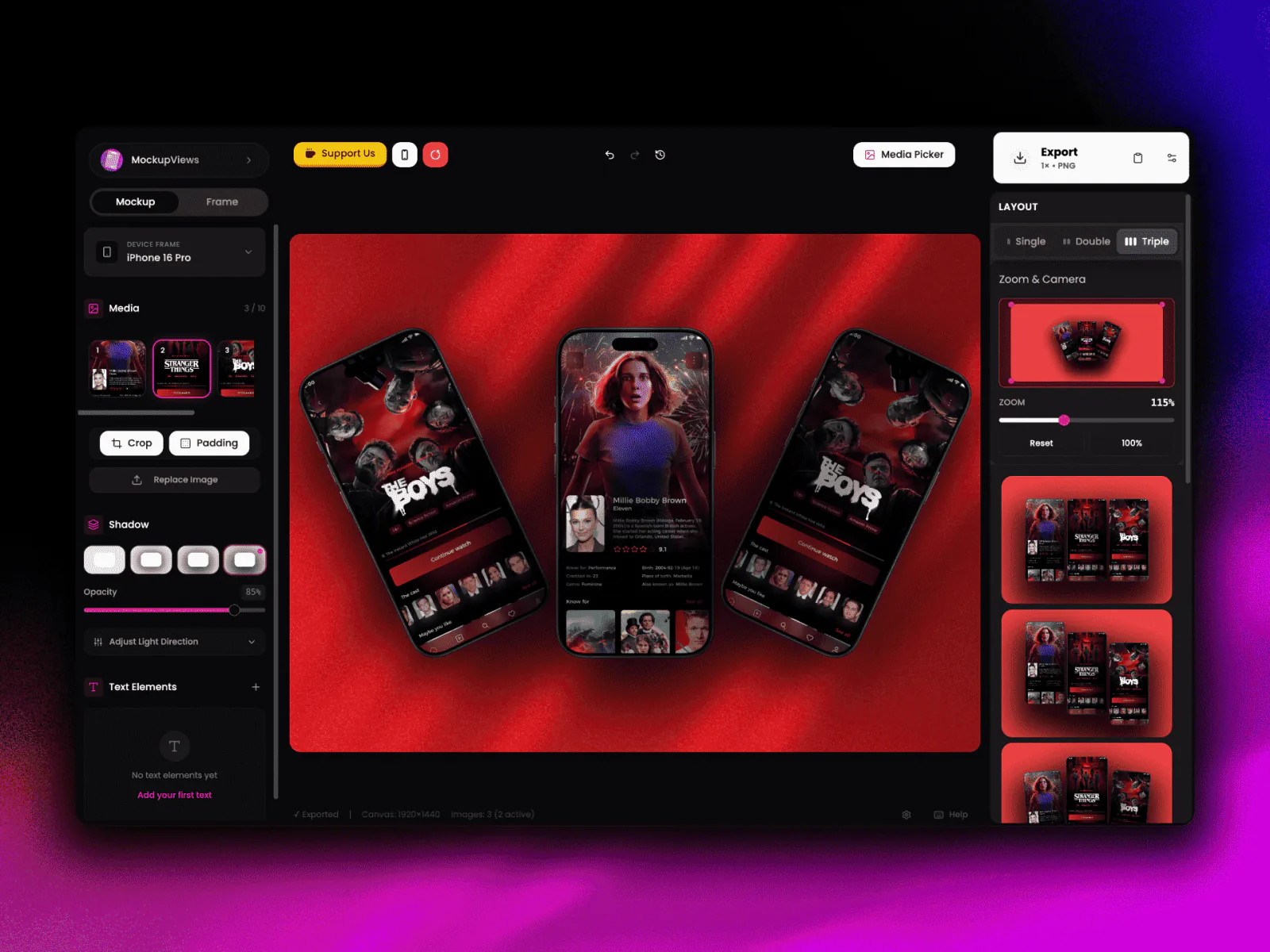
A mockup and screenshot studio that runs fully in your browser. Device mockups, App Store screenshots, and even MP4 videos. No server, no upload, no Photoshop.
- used by
- 2k+ people daily
- devices
- 35+ frames
- layouts
- 20+ presets
- exports
- PNG · JPG · WebP · MP4 · WebM · ZIP
what it is
MockupViews is for people who need nice device mockups, App Store screenshots, or a short promo video, without opening Photoshop. Two modes live in one editor: Mockup mode puts your screenshots inside real device frames with backgrounds and effects, and AppStore mode builds store screenshots at the exact Apple and Google sizes. A keyframe timeline can turn any of it into a video, rendered right in the browser.
the hard part: video with no server
A still-image tool that exports MP4, with every step running in the tab. Three stages:
Compose
The editor draws the canvas as a live React tree: frames, screenshots, effects, text.
Snapshot
The page is turned into a canvas image at the size you pick. For animation: one image per frame.
Encode
FFmpeg, compiled to WebAssembly, runs in a background thread and stitches the frames into MP4 or WebM.
what’s inside
- devices
- iPhone 14–17 Pro Max, iPads, MacBooks, iMac, Studio Display, Galaxy + generic Android, clay frames.
- layouts
- 20+ presets: centered, tilted, diagonal, floating, perspective, plus 2- and 3-device setups.
- effects
- Backgrounds, gradients, blur, noise, shadows, spotlight, magnifier, vignette, 3D tilt.
- text
- Multi-layer text: font, size, color, shadow, position.
- camera
- Zoom 0.1×–3×, pan and drag, grid overlays for alignment.
- appstore mode
- Apple 6.7"/6.5"/5.5", iPad 12.9"/11", Google Play phone and tablet. Each screenshot has its own config.
- animation
- Keyframes, easing, FPS control, scrubbing, looping, ghost frames.
- export
- PNG · JPG · WebP · MP4 · WebM · ZIP, at 1×–4× scale, rendered in a background thread.
- media
- Drag and drop, paste, HEIC auto-convert, video input, Unsplash search.
- persistence
- Autosaves in your browser, optional cloud sync, JSON export, 50-step undo.
stack
React 18 · TypeScript · Vite · Zustand · Tailwind · Radix UI · Framer Motion · FFmpeg.wasm · IndexedDB · Workbox · Firebase
choices i’m happy with
- no backend at all
- No upload waiting, no storage cost, and privacy is simple: your screenshots never leave the tab.
- state in small slices
- The editor store is split into small pieces, so moving one slider does not redraw the whole app.
- one app, two modes
- Mockup and AppStore are one editor with a mode switch. Your camera, history, and fonts survive when you switch.
- the ui stays alive during export
- While the video renders, you see progress, time left, and a cancel button. The app never freezes.